
Assistive Hardware I Cannot Live Without
I put this list together to share what works for me. I couldn’t have found all the things that are so helpful to me if others hadn’t shared what had worked for them.
- HeadMouse
- Sip / Puff Switch
- Quantum Edge 3 Stretto
- SureHands Freedom Bridge
- My Stick
- Quadstick Game Controller
- soundcore C50i Clip on Earbuds
- SwitchBot Bot
- AT Ultra Light HD Switch
- Giraffe Bottle
- Platinum Health Acrobat Professional Overbed/Laptop Table
- Vive Wheelchair Carry Bag
- RAM Mounts Phone Holder
- Ecobee Smart Thermostat
- Amazon Echo Smart Speaker
HeadMouse
https://www.orin.com/access/headmouse/
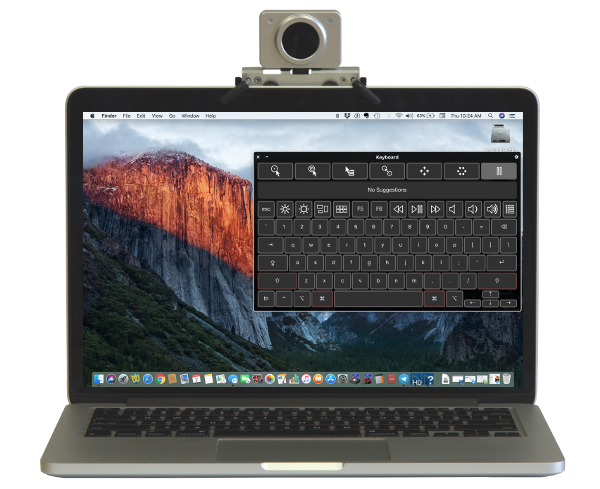
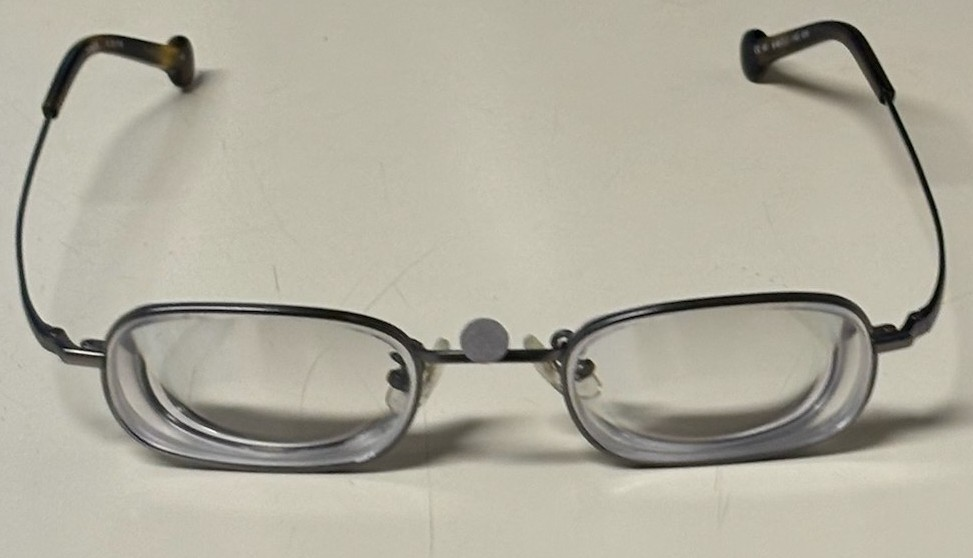
The HeadMouse translates my head movements into mouse movements. It tracks a small target, which I call my dot, that I wear on the bridge of my glasses.
I have used several generations of this product since around 2002. It
gives me complete control of the mouse cursor with the speed, accuracy,
and precision I would expect out of any standard mouse. The HeadMouse
provides the ultimate convenience too in that it is completely plug and
play. Plug it into the USB slot of your computer and go. There is no
special software needed.
Sip / Puff Switch
https://www.orin.com/access/sip_puff/
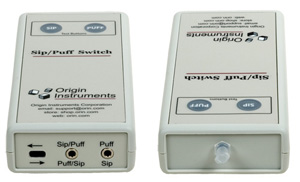
The sip / puff switch provides an alternative way for me to perform mouse clicks. While I primarily use the AutoClick feature in SofType, some things can be quite difficult to do with AutoClick, think moving an item on a PowerPoint slide to the exact position you want. Having the sip / puff switch available for those scenarios has been a huge time saver. Below are images of the sip / puff switch module. An air tube connects to one end of the switch module and is mounted where I can pick it up when needed.
Quantum Edge 3 Stretto
https://www.quantumrehab.com/quantum-power-bases/edge-3-stretto.asp
I could write volumes about my wheelchair. I’m in it all day, everyday. Almost everything in my day-to-day life would not be possible without my wheelchair to get me to where I need to be. Rather than try to capture too much here I will say that I got my first power wheelchair when I was just three years old. As an adult, I look at three year olds and shudder to imagine them driving around in a power chair and thank my lucky stars that I didn’t kill myself with mine. I got my first mid-wheel drive wheelchair around 2011 and all three have been from Quantum. Currently I have the Edge 3 Stretto.
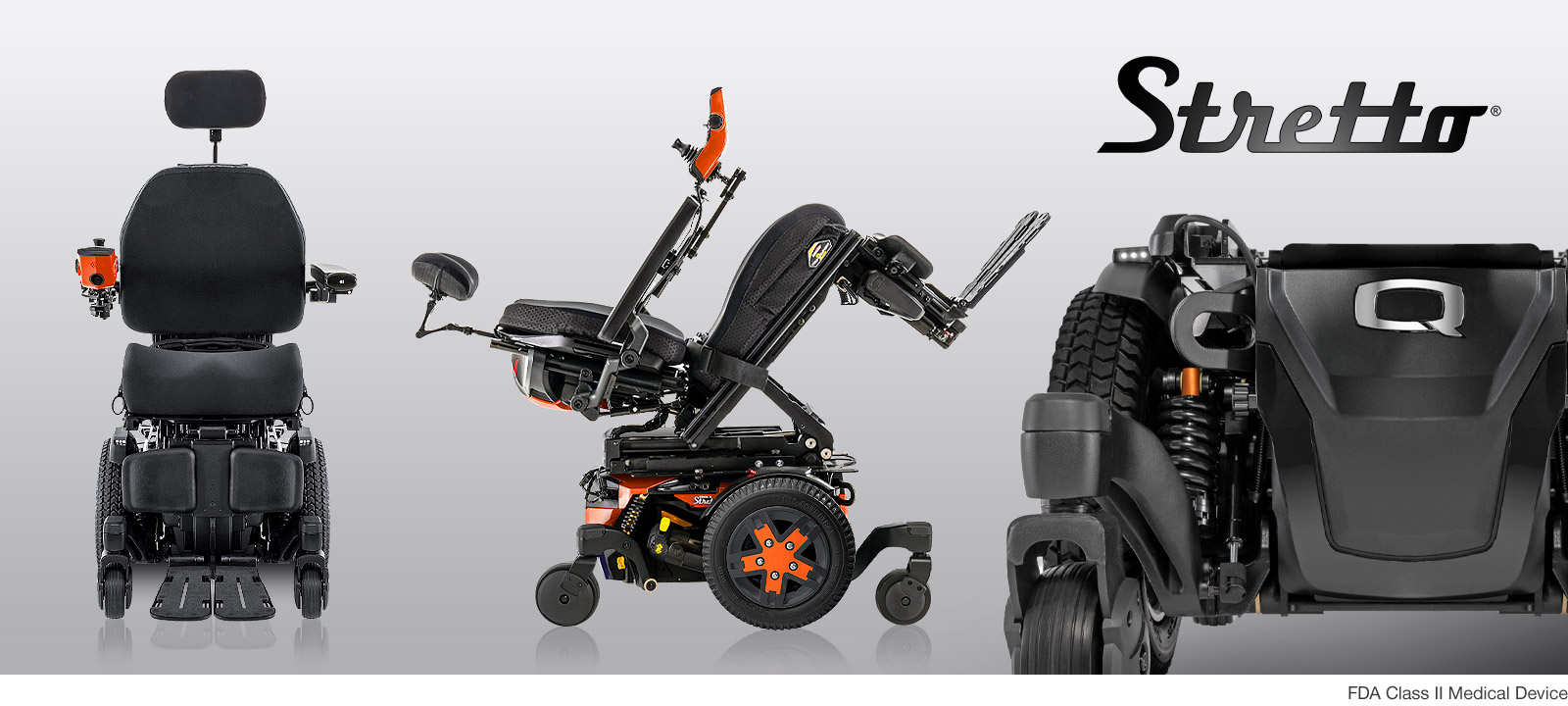
The features on a modern power wheelchair could have their own extensive list. Here are a few of my favorite features of my chair:
- Elevating seat with iLevel to drive at up to 4.5 mph while elevated
- Bluetooth in joystick for controlling my phone
- Tilt, recline and elevating legrests
- Narrow design of the Stretto for easier navigation through tight quarters (think less chipped paint at home)
SureHands Freedom Bridge
https://www.surehands.com/products/the-freedom-bridge
When deciding on a lift to get for my apartment I chose the SureHands Freedom Bridge for two main reasons. The first is that it is a freestanding lift. This meant no modifications needed to be made to my apartment; nothing had to be attached / drilled into the wall or ceiling. This not only made installation easier, it also means it would be fairly easy to take with me should I move. The second main reason I got this lift was the SureHands Body Support. Unlike the slings used by most other lifts, the body support is much easier to get in and out of. The biggest benefit for me and my caregivers is that once the lift lowers me into the proper position in my chair, the body support can be removed and I am still sitting properly in my chair. When I go places that have a lift with a sling, the process of removing the sling shifts my position in my chair leaving me in a very uncomfortable and very poor sitting position. My caregivers then have to manually adjust my position which kind of defeats the purpose of having a lift.
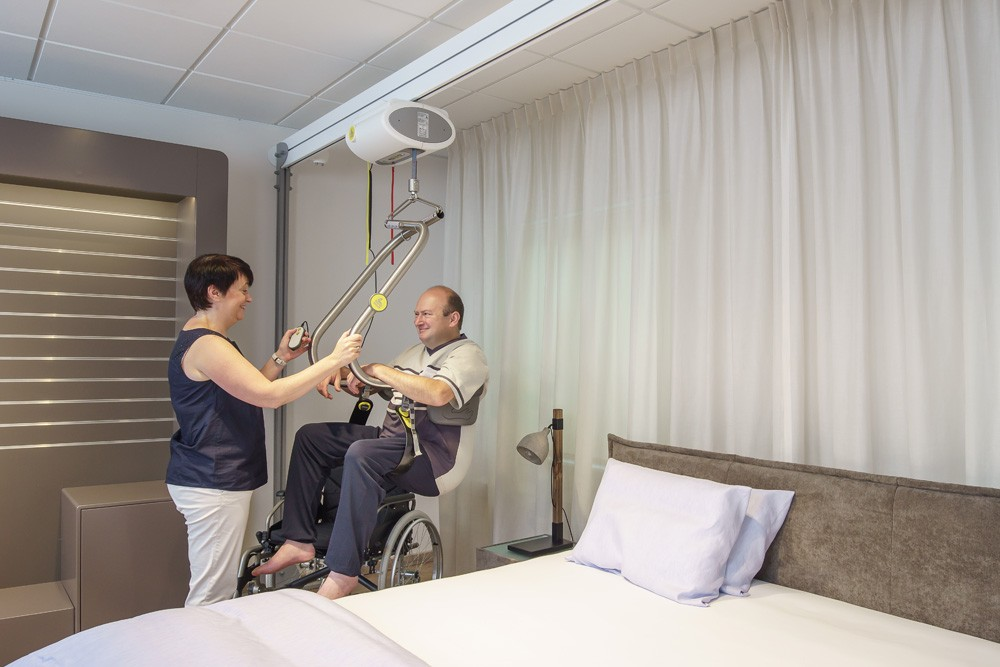
Like many other pieces of medical equipment I have used, the SureHands Freedom Bridge was originally denied by my health insurance because it is a higher price than similar lifts with a sling. But I appealed because I knew that the long term benefits (e.g. reduced medical costs from me no long sitting in a poor position in my chair, less physical strain on my caregivers) would far exceed the additional cost up front. As part of the appeal process a hearing was scheduled. Luckily it was a phone hearing because my family and I were in California for a wedding on the date of the hearing. It wasn’t until the night before the hearing when we were out with family and friends that somebody reminded my mom and I that a 9:00 AM ET hearing would be 6:00 AM in California. So, we wrapped up our evening and my mom and I got up a bit earlier than planned the next morning but even with a few cobwebs in our brains we were successful in the appeal. Now over 10 years later the lift is still working great and has been of great benefit to me and my caregivers.
My Stick
Sometimes it’s hard to find a solution that exactly meets your needs and you need to develop a custom solution. I’m fortunate to have a dad that was an engineer. Growing up there weren’t many obstacles that couldn’t be overcome with power tools, soldering, creativity and elbow grease. One such device that I’ve used everyday for the last 15 years is what I call my stick.
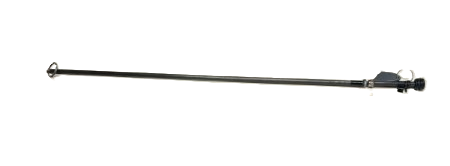
The stick has a rubber stopper at the end that I use for pushing buttons on elevators and door openers. I can also use it for flipping light switches on the wall. Behind the stopper is a keyring onto which I put my fob for getting in and out of my apartment and my ID for swiping in an out at work. The other end of the stick has a metal ring on it that clips onto the armrest of my chair so that it is always at my fingertips when I need it. My stick is an example of how something doesn’t have to be electronic to be assistive technology. It has no wires, batteries, bells or whistles but is every bit as useful as any of my other electronic devices.
Quadstick Game Controller
The Quadstick combines a joystick with sip / puff switches and a lip switch to form a mouth operated video game controller with almost limitless possibilities.
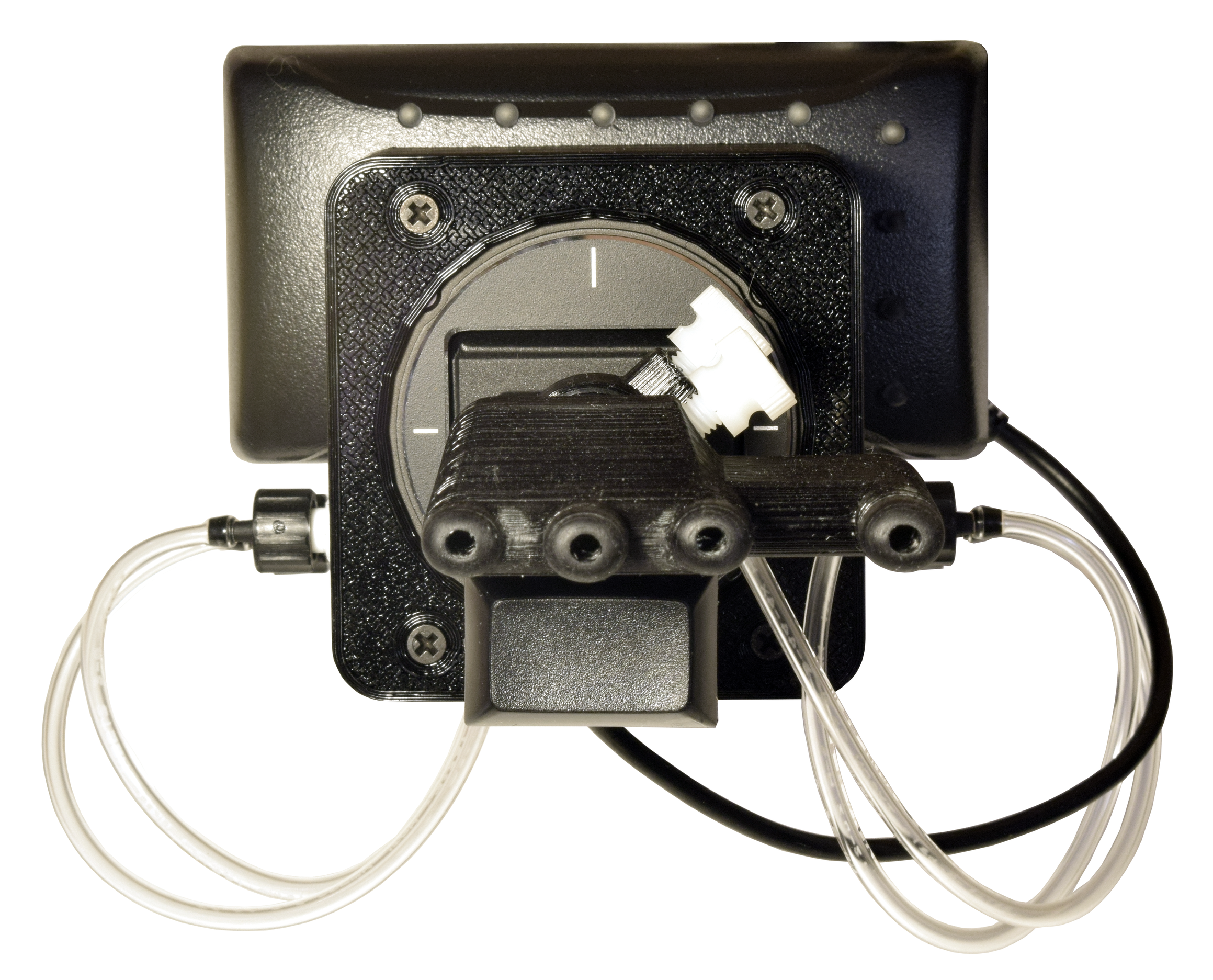
I’ve been a gamer since I was a young child playing games like Mario and Excitebike on my family’s NES. I used custom modified controllers to play video games as best I could with my hands through my teen years. As I grew older and busier I left gaming for many years. The release of the Xbox Adaptive Controller got me back into gaming. But using my hands I always felt limited in my ability and stuck to racing games and the like that required fewer buttons. The Quadstick changed all that. Unlike my arms and legs, I have no issues with muscle control from my shoulders and up. Combining that with the infinitely configurable design of the Quadstick, I now regularly play challenging games like Call of Duty and Rocket League.
soundcore C50i Clip on Earbuds
https://www.soundcore.com/products/d1101-c50i-comfortable-clip-on-earbuds?variant=45470473715902
I’ve never been able to use earbuds because even the best fitting earbuds would eventually start to fall off. This is when most people would reflexively push it back in and move on but I am unable to do that. This problem has been eliminated since I discovered the clip on style earbuds. As soon as I saw them I was very optimistic that they would work for me. I did some research and decided to buy the soundcore C50i Clip on Earbuds and they have met my optimistic expectations.
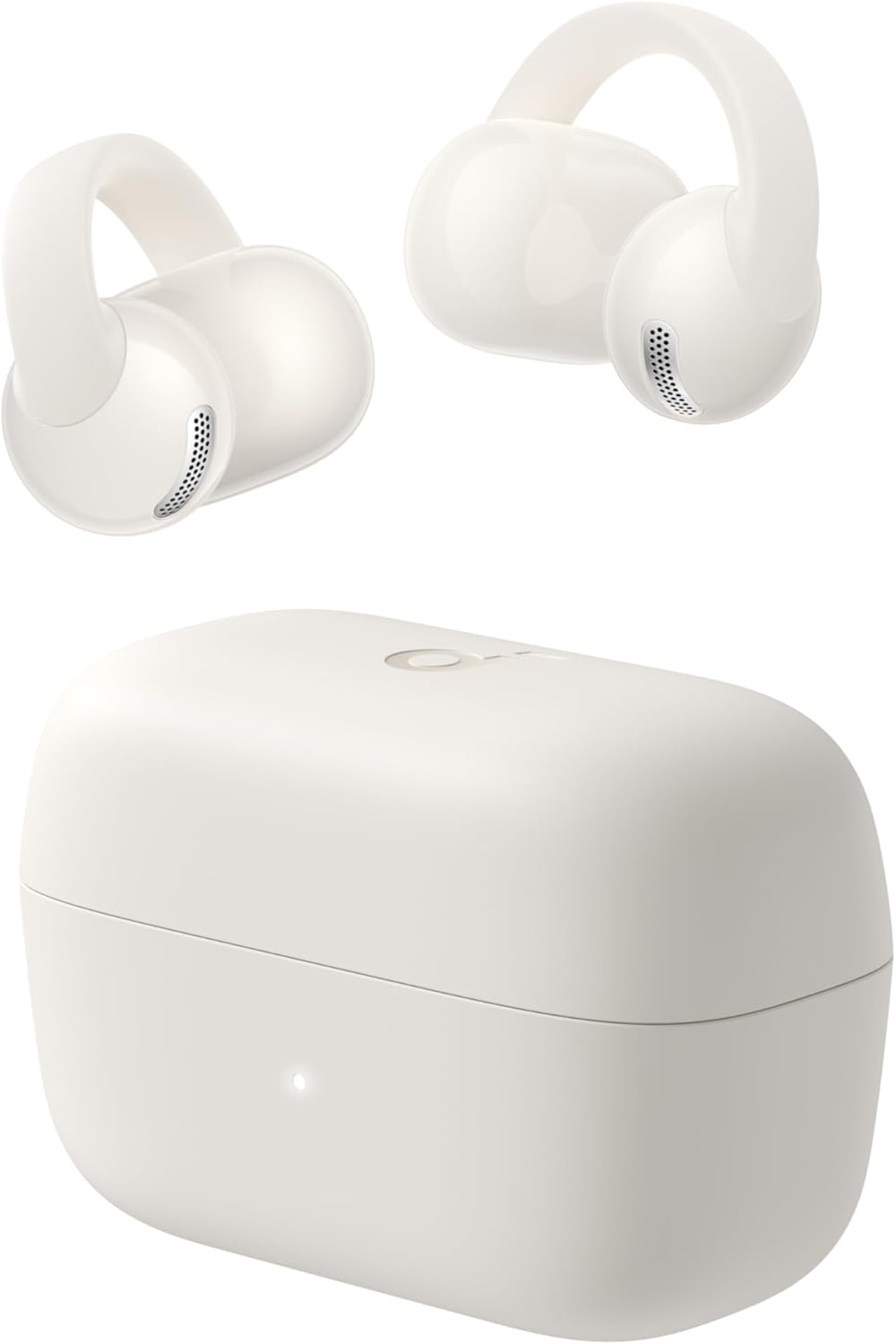
I can wear these earbuds with 100% confidence that unless something physically pulls them off they will not fall off. The sound quality is good for phone calls and listening to music. Besides being secure, the fit is also very comfortable. After having them for just a few days, I finished playing Call of Duty one night and almost forgot I was wearing them when I went to bed. When home I’ll still use speaker phone if I’m not wearing the earbuds but having a pair of earbuds that I can wear with full confidence when I am out in public has been a game changer.
Note: Anker Innovations which owns the soundcore brand recently announced that the soundcore brand would be discontinued and all soundcore products would be rebranded as Anker Audio & Video. So, while products like these earbuds are not going away they won’t have the soundcore name in the future. [1]
[1] https://www.bgr.com/2220089/why-anker-get-rid-of-soundcore/
SwitchBot Bot
https://us.switch-bot.com/products/switchbot-bot
For years I’ve had complete control of my computer thanks to the HeadMouse and SofType. There was just one problem, I couldn’t turn the damn thing on! That is until I discovered the SwitchBot Bot.
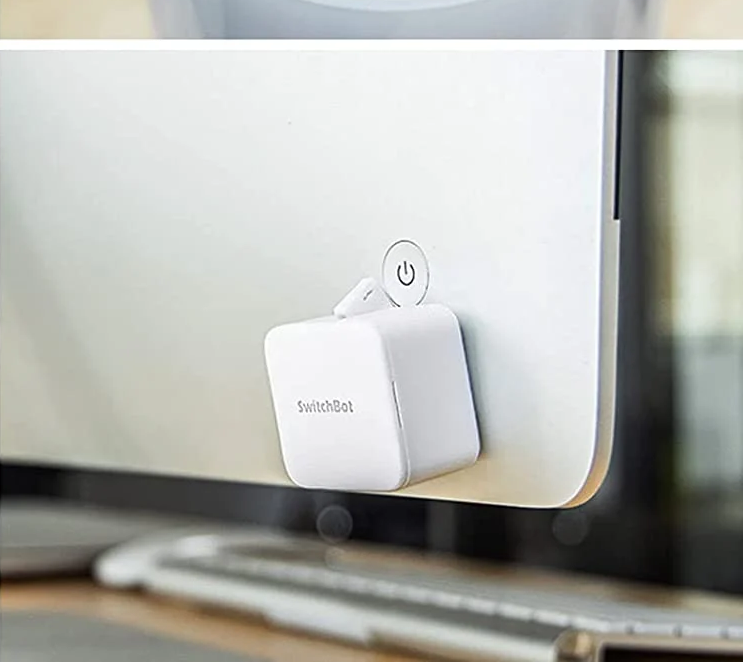
The SwitchBot Bot is a button pusher that can be controlled via the dedicated SwitchBot app or by voice when connected to a smart speaker such as the Amazon Echo like mine is. Not only can I turn on my computer now but it is such an enjoyable experience. Saying “Alexa, turn on PC”, hearing the motor whir to life and seeing the little arm come out and push the button hasn’t gotten old and I don’t think it will anytime soon.
AT Ultra Light HD Switch
https://atec-inc.square.site/product/at-ultra-light-hd-switch/2
I’ve used many different types of switches to control many different devices over the years. My favorite and my go to choice since I discovered it in 2019 is the AT Ultra Light HD Switch.
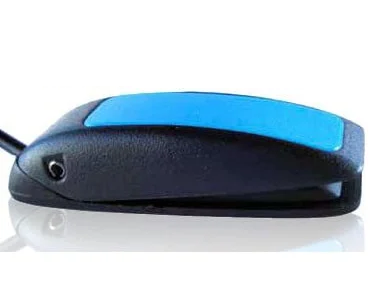
These switches are small, reliable, and take very little effort to activate. When I used the Xbox Adaptive Controller I had a dozen of these velcroed to my gaming setup. Repeated and sometimes frenzied button pushing during an intense match in Rocket League and they never failed me. Even now that I have moved onto the Quadstick for gaming, I have one velcroed on top of the lip switch on the Quadstick because I wanted something that was more responsive. I also have two attached to the armrest of my wheelchair. One turns my chair on and off and the other does mouse clicks when I connect my chair’s joystick to my phone as a bluetooth mouse.
My favorite part about these switches is that you can order them with a custom length wire. For my wheelchair setup, the switches and the jacks they plug into are only a few inches apart so a standard 6 foot cable would have meant lots of extra wire that would need to wrapped and tied up. Instead, I ordered mine with a 6 inch wire. No wrapping needed and it provides a clean and simple setup. At $24.95 at the time of this writing these switches are also significantly more affordable than other similar switches I have found that often sell for $90 or more.
Giraffe Bottle
https://www.giraffebottle.com/tower-xl-hands-free-drinking-system
They say the average person can survive three days without water [1]. I feel like I’m going to die if I go three hours without my water bottle. I’ve used a few different solutions but the one I’ve been using since 2024 and seems to be the most widely available is the Giraffe Bottle.
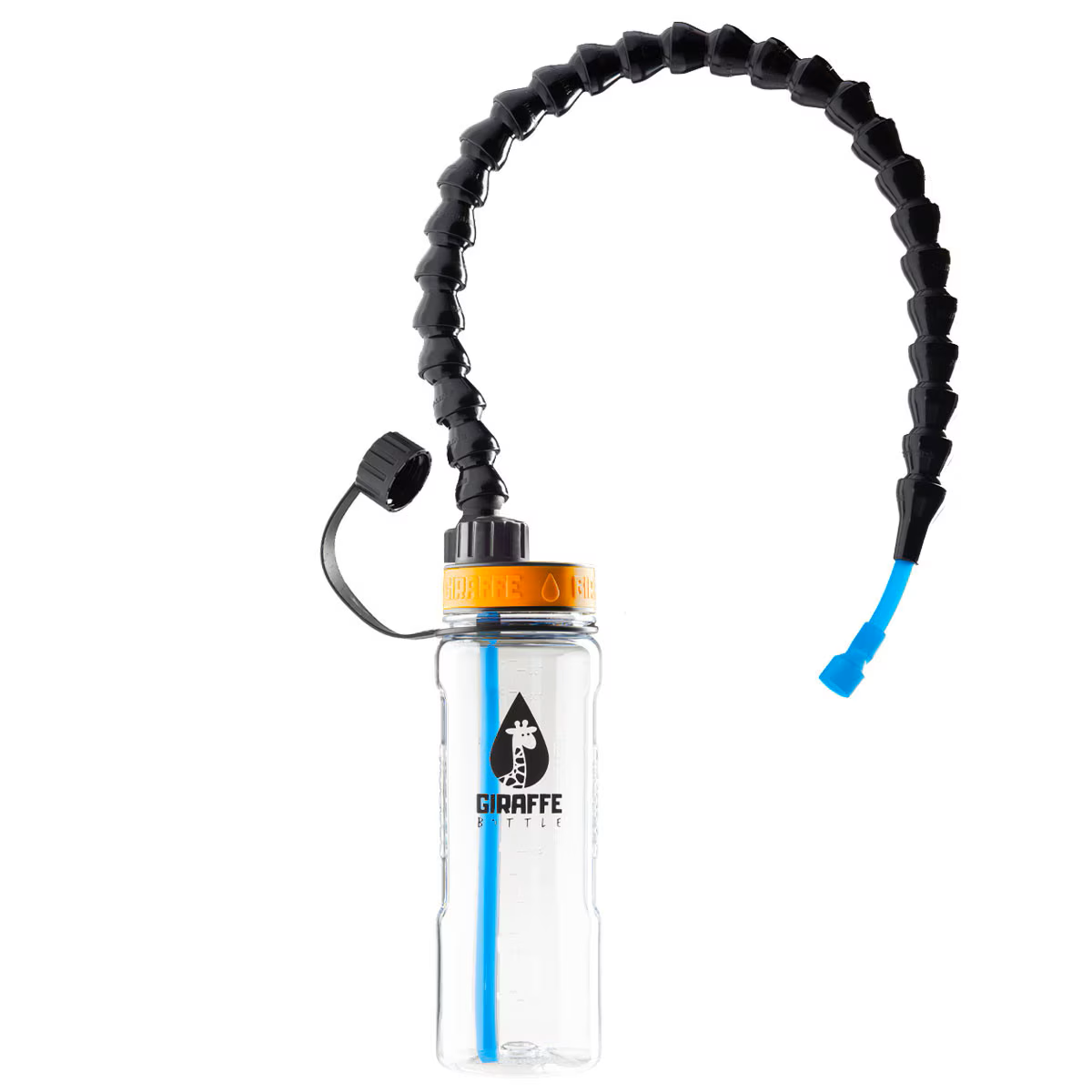
The bottle is narrow enough to fit in the cupholder on my chair but is big enough to hold enough water to last me about three to four hours during the day. The neck is long enough to reach up to my mouth and is made of Loc-Line which is a great assistive technology in and of itself. It’s flexible enough to be positioned easily but sturdy enough to hold its position throughout the day. Okay, I think I’ve said enough and used the word enough enough to make my point clearly enough.
[1] https://www.medicalnewstoday.com/articles/325174#how-long-can-you-live-without-water
Platinum Health Acrobat Laptop Table
I couldn’t do any of my computer work without a table to put my computer on. There are lots of table and desk options out there but the one that has worked best for me is the Platinum Health Acrobat Laptop Table.
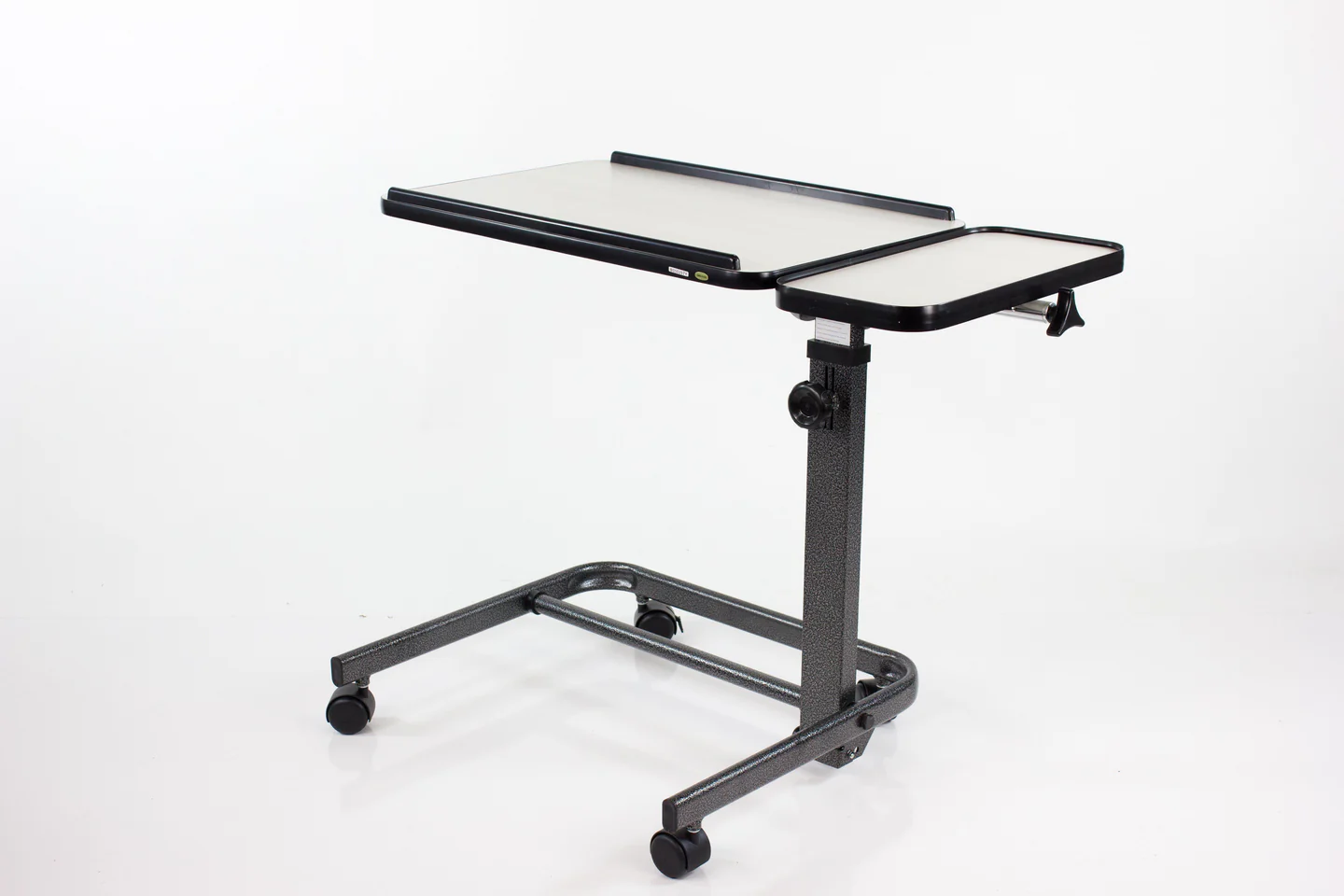
This table has many features that you will find on other similar tables: height adjustable, table top tilt adjustment and wheels for easy repositioning. What makes this table ideal for me is that the vertical post can be tilted as shown in the diagram below.
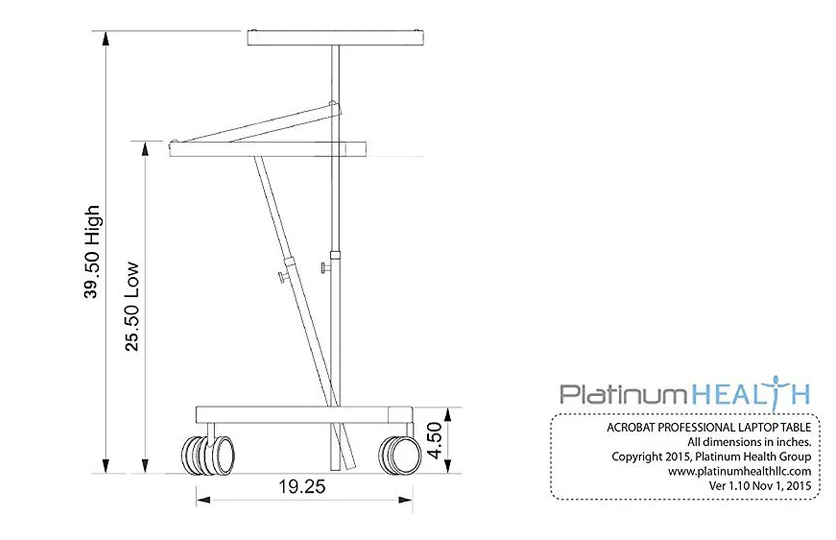
My biggest issue with other similar tables is that I cannot pull far enough under the table before the footrest or front wheel on my chair hits the base of the table. Being able to tilt the vertical post means I can pull much further under the table before my chair makes contact with the base. As somebody with very thick glasses, being able to pull closer to my computer screen means less strain and fatigue on my eyes.
Vive Wheelchair Carry Bag
https://www.amazon.com/dp/B07VVF9P51?ref_=ppx_hzsearch_conn_dt_b_fed_asin_title_3&th=1
Since I’m always sitting, putting belongings in my pockets is not really feasible and I don’t always want to be carrying a backpack on the back of my chair. So, for items I need on the go, having a small bag that can attach to my wheelchair is super convenient. There are other similar bags that could probably meet my needs but the one I’ve been using since 2024 is the Vive Wheelchair Carry Bag.
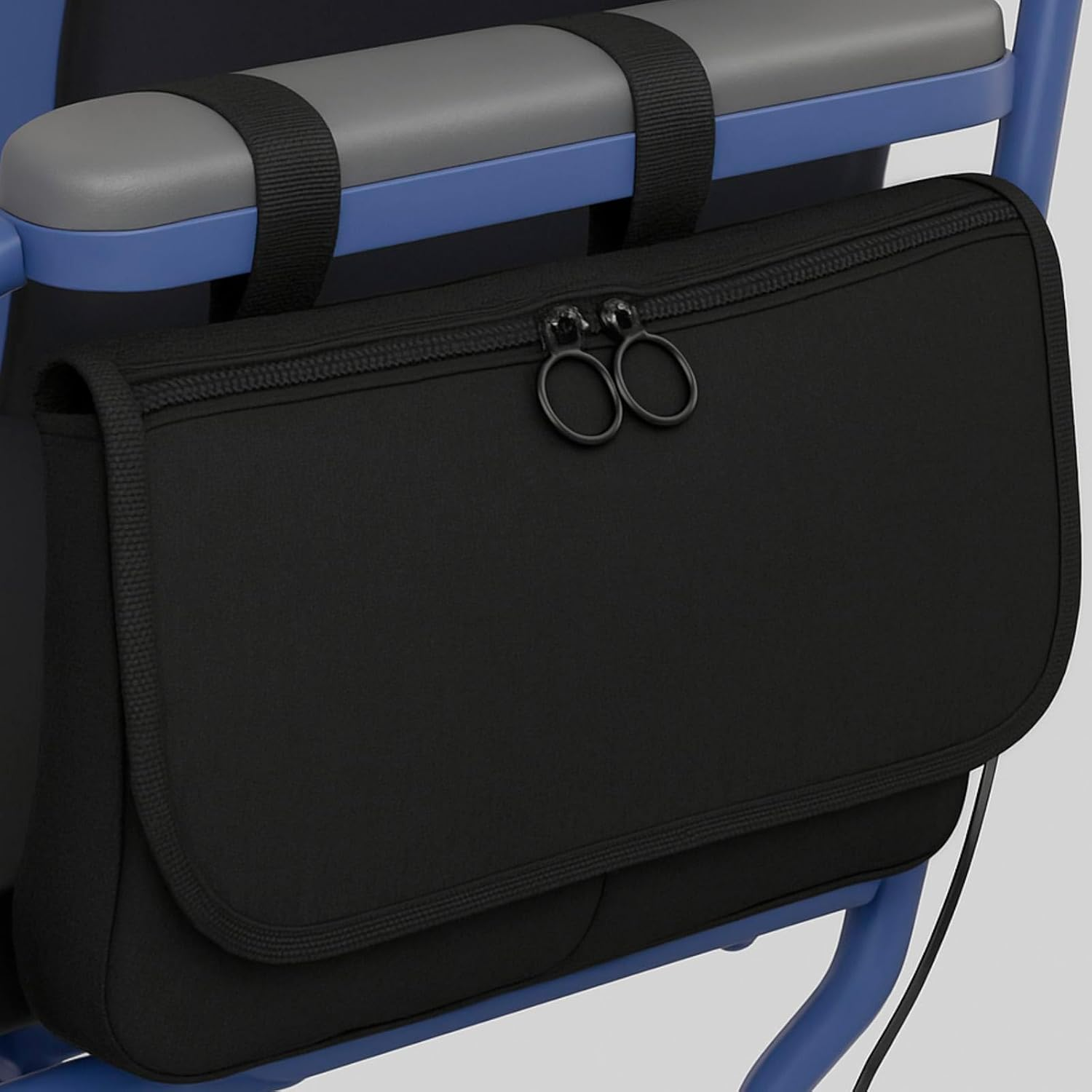
It has velcro straps that easily go around my armrest. With multiple pockets it has ample space for everyday items I need like wallet and keys plus less frequently used but still essential items like a poncho and ziploc bags to cover the electronics on my chair in the rain. Whatever space is left over I have made sure to fill with random things I never actually use but somehow feel I need.
RAM Mounts Phone Holder
https://rammount.com/products/ram-hol-un10bu
I don’t use my phone very much because I’m faster and more efficient on my computer. But when on the go and not near my computer, having my phone positioned where I can easily see the screen without it being in my way is very important. For that I use the RAM Mounts X-Grip phone holder.
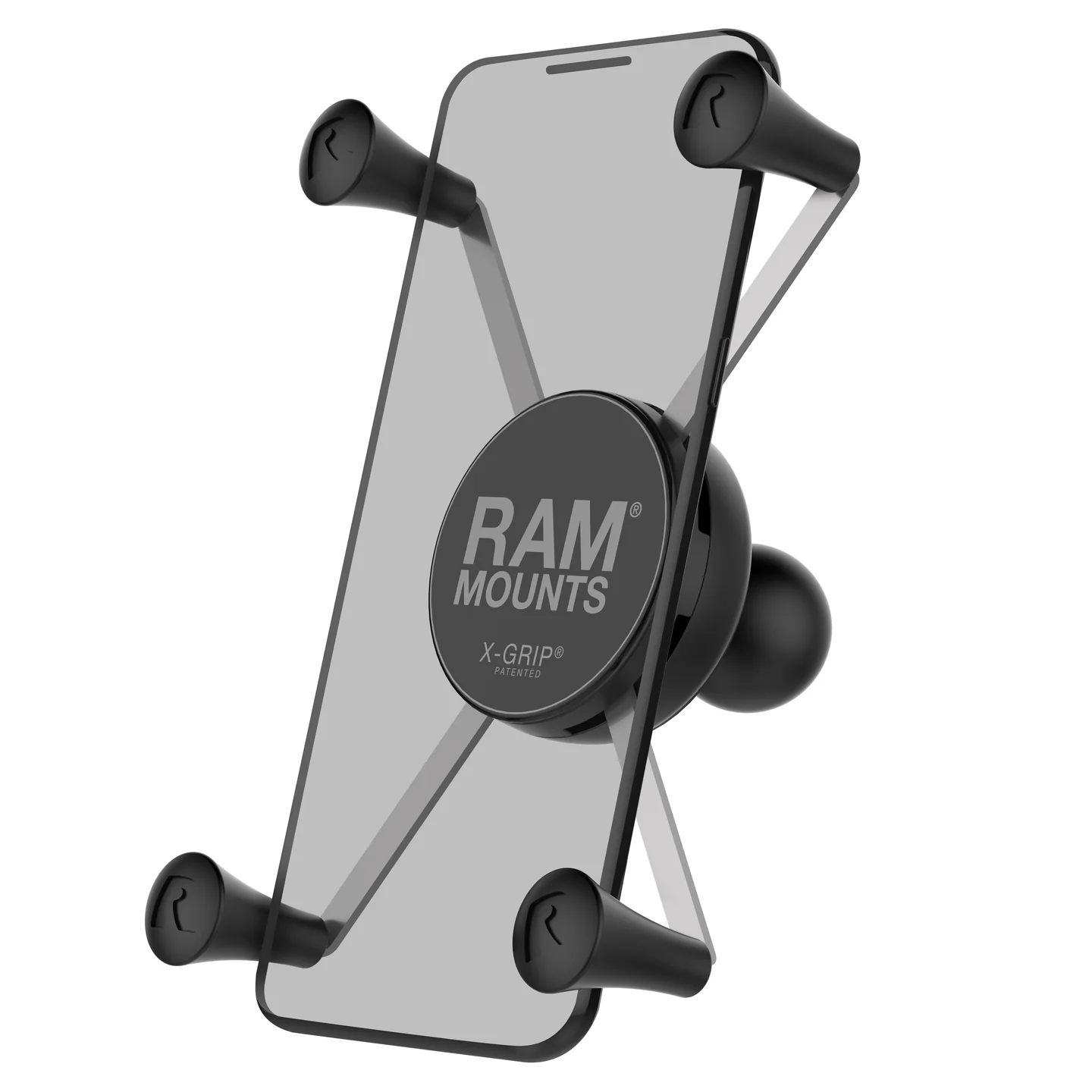
It’s a simple device that’s easy to get my phone in and out of and holds its position even after I drive over bumpy terrain. There are several kits for mounting these onto a wheelchair. This link shows a mount that goes on the armrest of a Quantum power chair like I have. If you are looking to purchase one for your wheelchair, do make sure it is compatible with the specific configuration of your wheelchair. Having a different style of armrest may mean a device that is compatible with one chair may not be compatible with another.
Ecobee Smart Thermostat
https://www.ecobee.com/en-us/smart-thermostats/smart-thermostat-essential/
The Ecobee Smart Thermostat is what I use because that is what was installed at my apartment. Any of the leading smart thermostats could probably meet my needs. But the Ecobee has worked great for me and well enough for me to have recommended it to others.
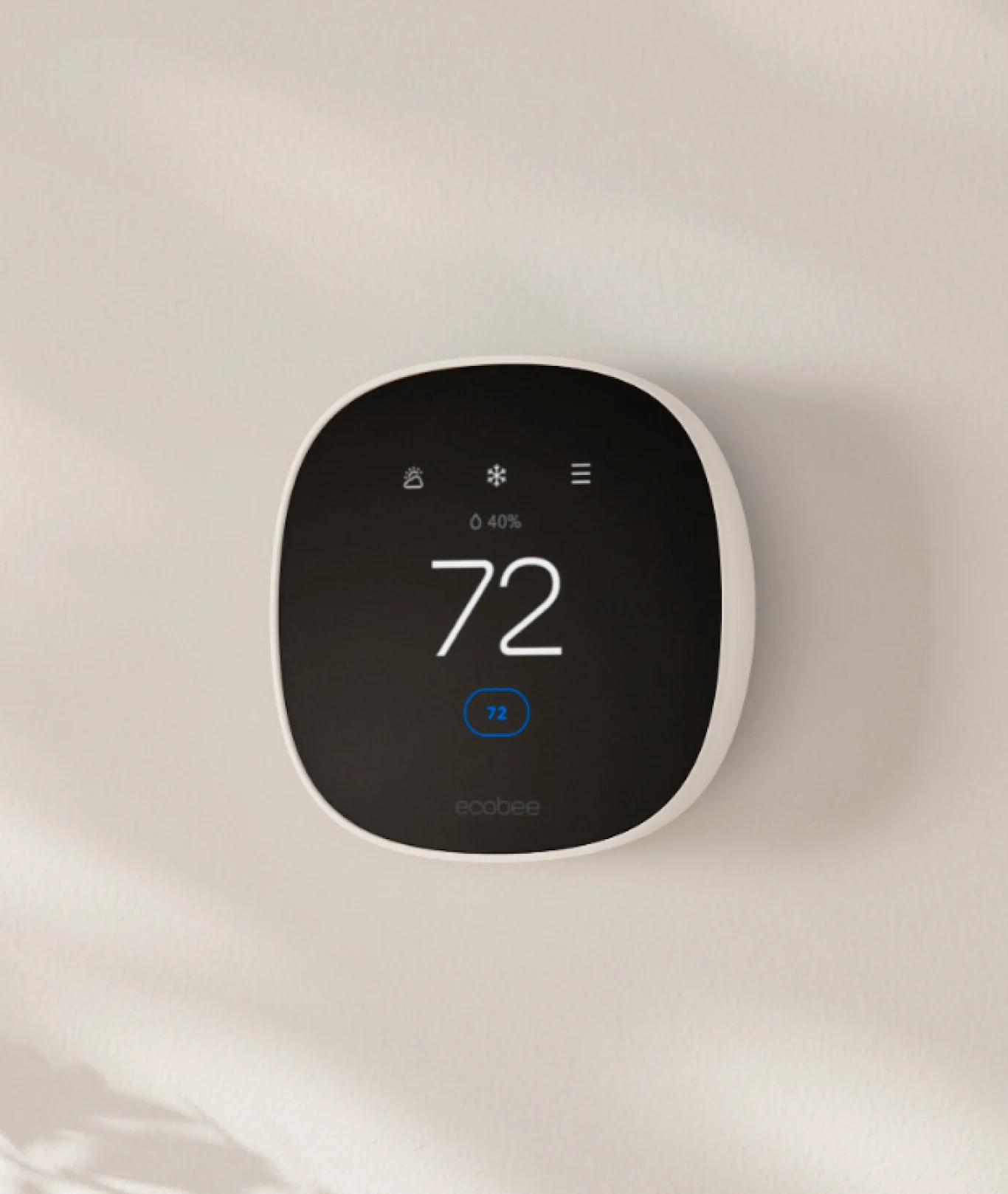
It is often the most basic things that can seem small but can have the biggest impact like being able to control the temperature in a room. Waking up in the middle of a hot summer night and being able to turn on the air conditioner means a better night sleep which means a more productive day at work and an overall better experience. This may be an oversimplification but I think it illustrates how seemingly mundane abilities like being able to adjust a thermostat can have very big impacts. So, while I don’t have a strong loyalty to a particular smart thermostat the Ecobee has served me well and I truly value the functionality that it provides.
Amazon Echo Smart Speaker
https://www.amazon.com/Amazon-vibrant-helpful-routines-Charcoal/dp/B09B8V1LZ3/
Due to privacy concerns I was vehemently opposed to the Echo when it first came out. I even expressed my concern when visiting friends who had one. Then I got one for Christmas. My mom and sister had heard my complaints. They knew how I felt. But they also knew it could be a game changer for me. Of course, they were right and almost immediately the convenience was too much for me to let go of.
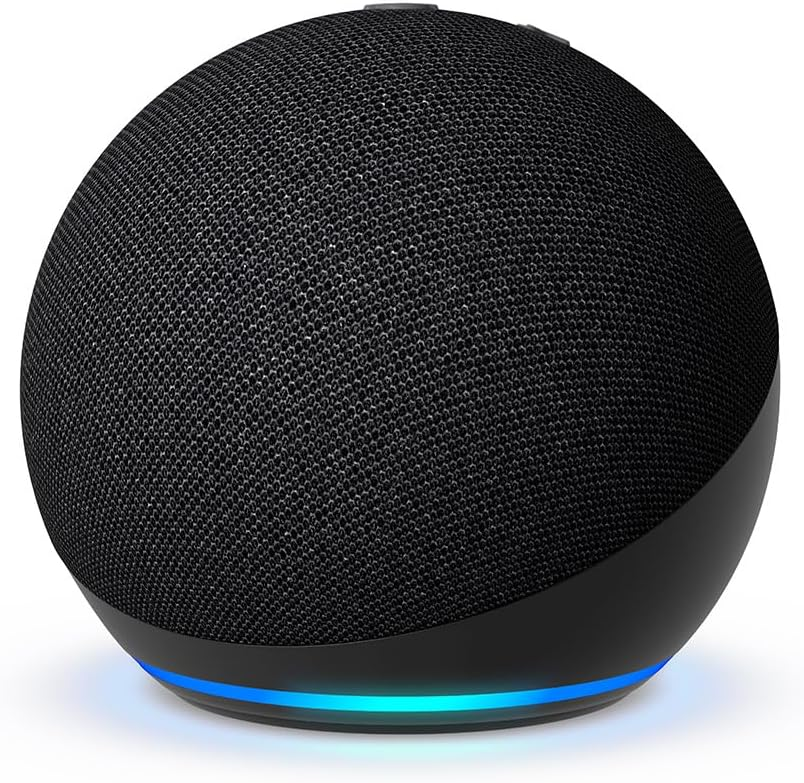
I still do have concerns about constantly being surrounded by devices that are always listening. But that goes beyond smart speakers like the Echo and is a topic that would require its own post. The reality is that I now live in the home of the future that existed only in books, movies and TV when I was a kid. I can control my lights, TV, fan, thermostat and even the vacuum all by voice. I can also listen to music, podcasts or audiobooks just by asking it to play whatever I’m in the mood for.
One of my favorite features of the Echo is it can not only play audiobooks but it can read aloud most Kindle books. At least mine still can at the time I’m writing this. That’s because I have not upgraded to Alexa+. I tried it and one of the first things I tried was having it read a book from my Kindle library. Quite surprising and disappointing to me, this feature seems to have been removed in Alexa+. This link is to a conversation on Reddit with other users’ experiences and ways to work around it. I have submitted feedback to Amazon about this via the Alexa app and if this is a feature that would benefit you or somebody you know I would encourage you to do the same.